Press
Press kit
What you need to write about yourfinance: descriptions you can quote, the icon and wordmark, colours and type, screenshots, and who to ask.
Describing yourfinance
In 50 words
yourfinance is desktop software for people who sell covered calls, cash-secured puts and the wheel. It keeps premium collected, premium still at risk and realized P&L apart, and tracks cost basis after every roll. Records stay on the user's computer. A 10-day free trial, then $20 or $50, once.
In 100 words
yourfinance is desktop software for people who sell covered calls, cash-secured puts and the wheel. It keeps apart three numbers that spreadsheets tend to merge: premium collected, premium still at risk and realized P&L. It tracks raw and premium-adjusted cost basis after every roll, and its Decision Desk compares holding, closing and rolling before anything is recorded. It imports IBKR, DEGIRO, Trading 212 and Trade Republic CSVs. There is no account and no server holding records, and it gives no investment advice and places no orders. A 10-day free trial, then $20 or $50, once.
- Name
- yourfinance
- Website
- useyourfinance.com
- On X
- @FutureInvoked
- Runs on
- macOS 13 or later (Apple Silicon and Intel); Windows 10 or 11, 64-bit
- Price
- 10-day free trial; Beginner $20, Pro $50, one time
- Latest version
- 1.19



Colours and type
The app icon
- Ink
#0D181B
The icon's background - Mint
#A4E7CC
The icon's shield and line - Green
#2E9E7B
The icon's shaded side - Deep green
#168162
The icon's grid
The website
- Accent, light theme
#1F4D7A
Links and buttons on white - Accent, dark theme
#8FBCE8
Links and buttons on dark - Realized
#17774A
Realized figures (#63D69D on dark) - At risk
#8F5E00
Open premium still at risk (#F1B852 on dark) - Night
#0B0E13
The dark theme's background
Type: Inter, under the SIL Open Font License (licence). Headings are set at weight 650–700, and every figure uses tabular numbers so columns line up. Green means realized; amber means still at risk.
Dos and don'ts
Do
- Write the name yourfinance: lowercase and one word, also at the start of a sentence. The X handle and the domain are the exceptions.
- Use the icon as it is, with its rounded square and enough space around it.
- Say the screenshots show the read-only demo, a made-up holding.
- Call it record-keeping software for options sellers.
- Keep "premium collected" and "realized" apart, as the app does.
Don't
- Write it as "YourFinance" or "Your Finance" in running text.
- Recolour, stretch, crop or add effects to the icon or the wordmark.
- Present the demo's figures as anyone's results or returns.
- Call it a broker, a trading app, or a source of trade ideas: it gives no investment advice and places no orders.
- Say it connects to your broker to trade. Pro's connectors only read your own history.
Screenshots
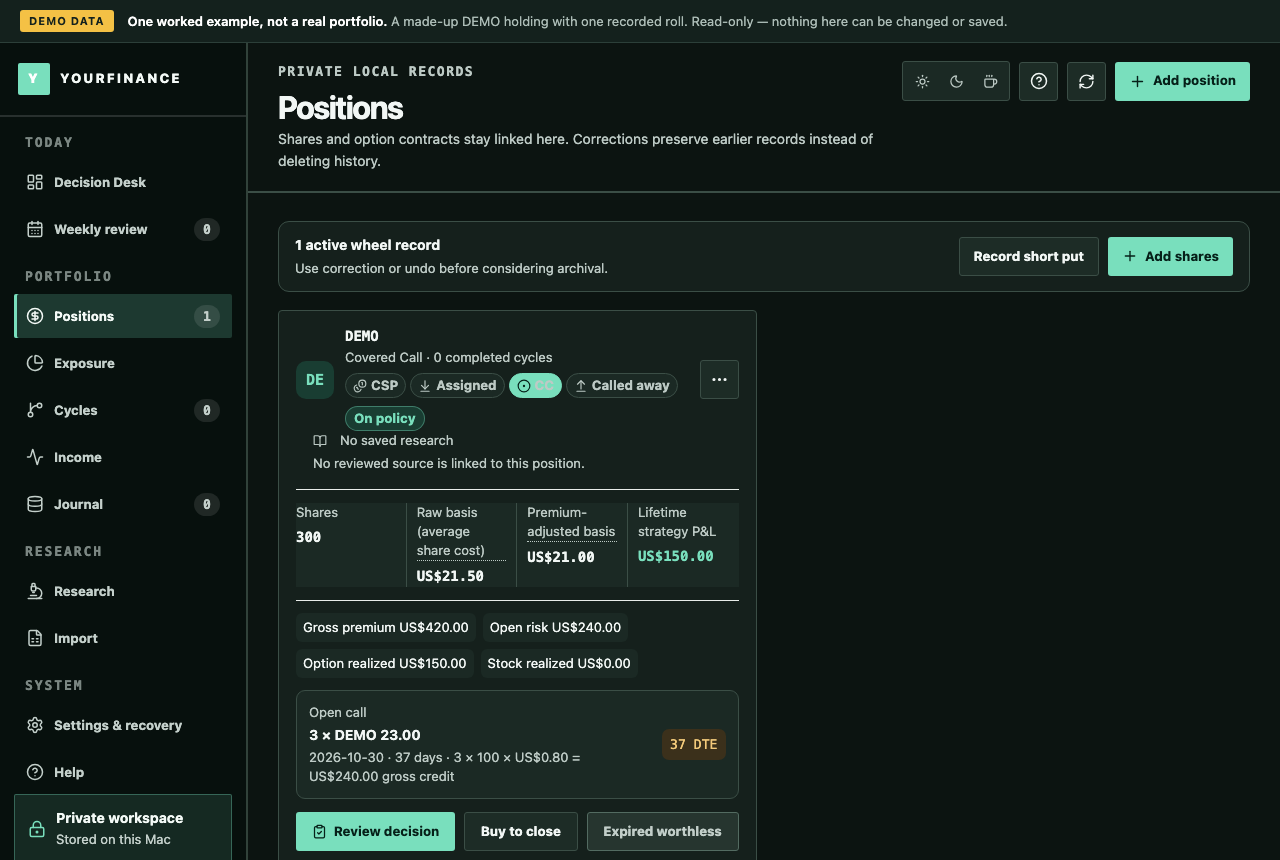
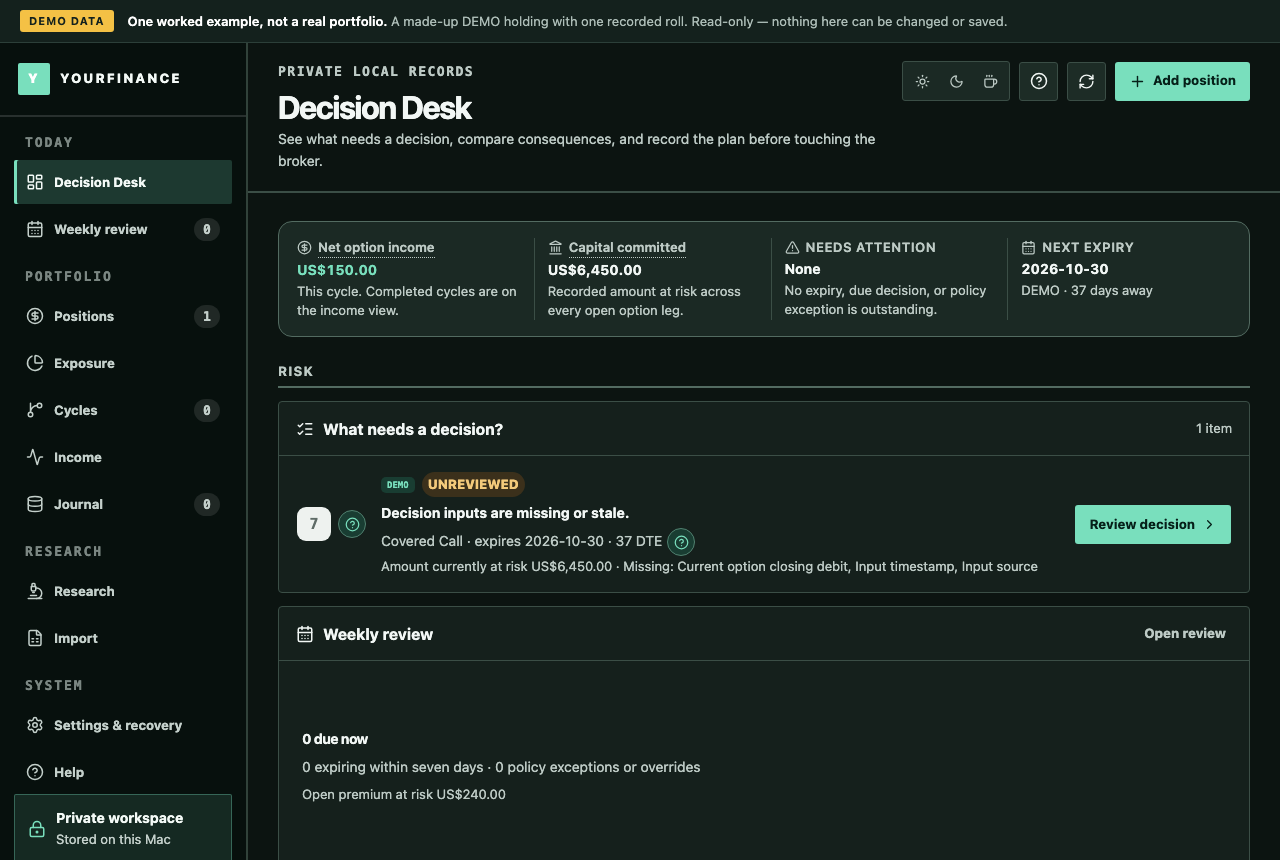
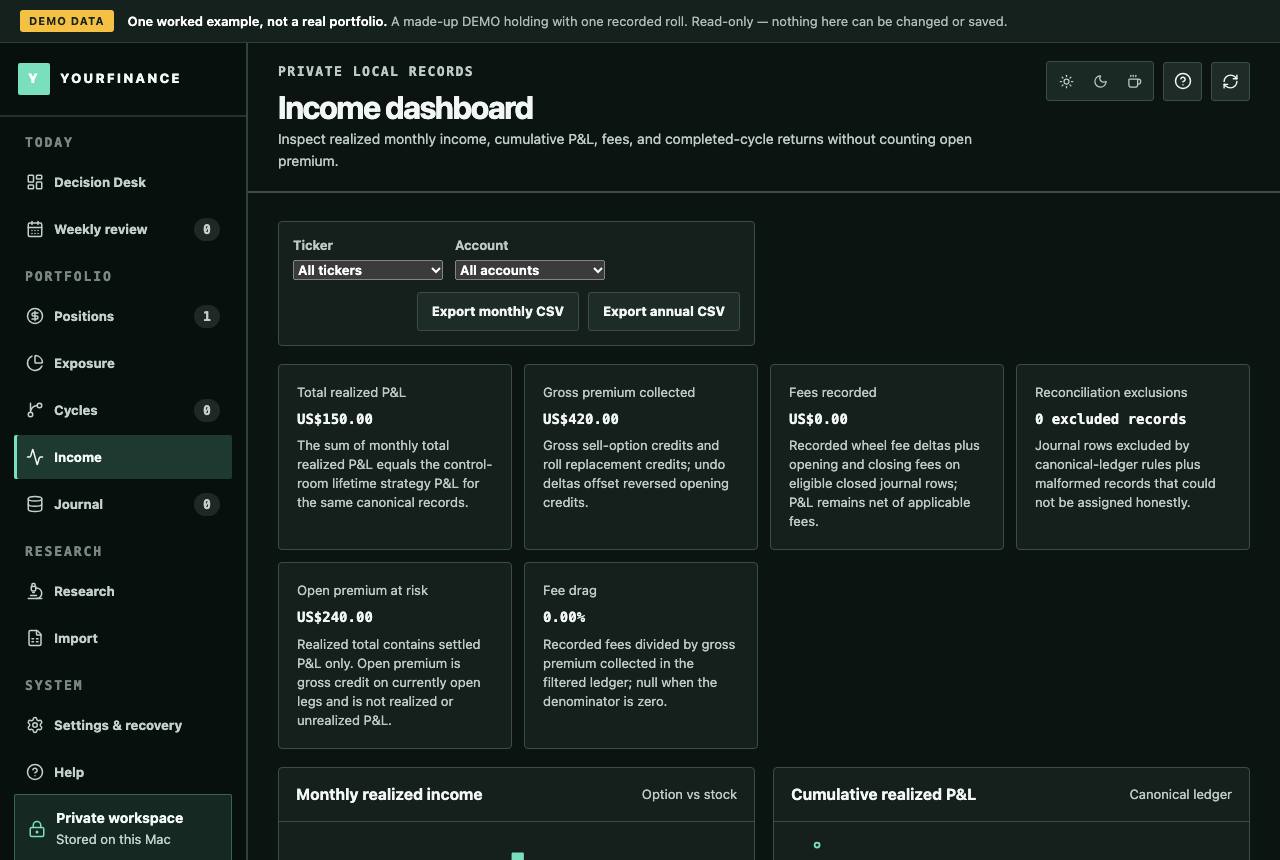
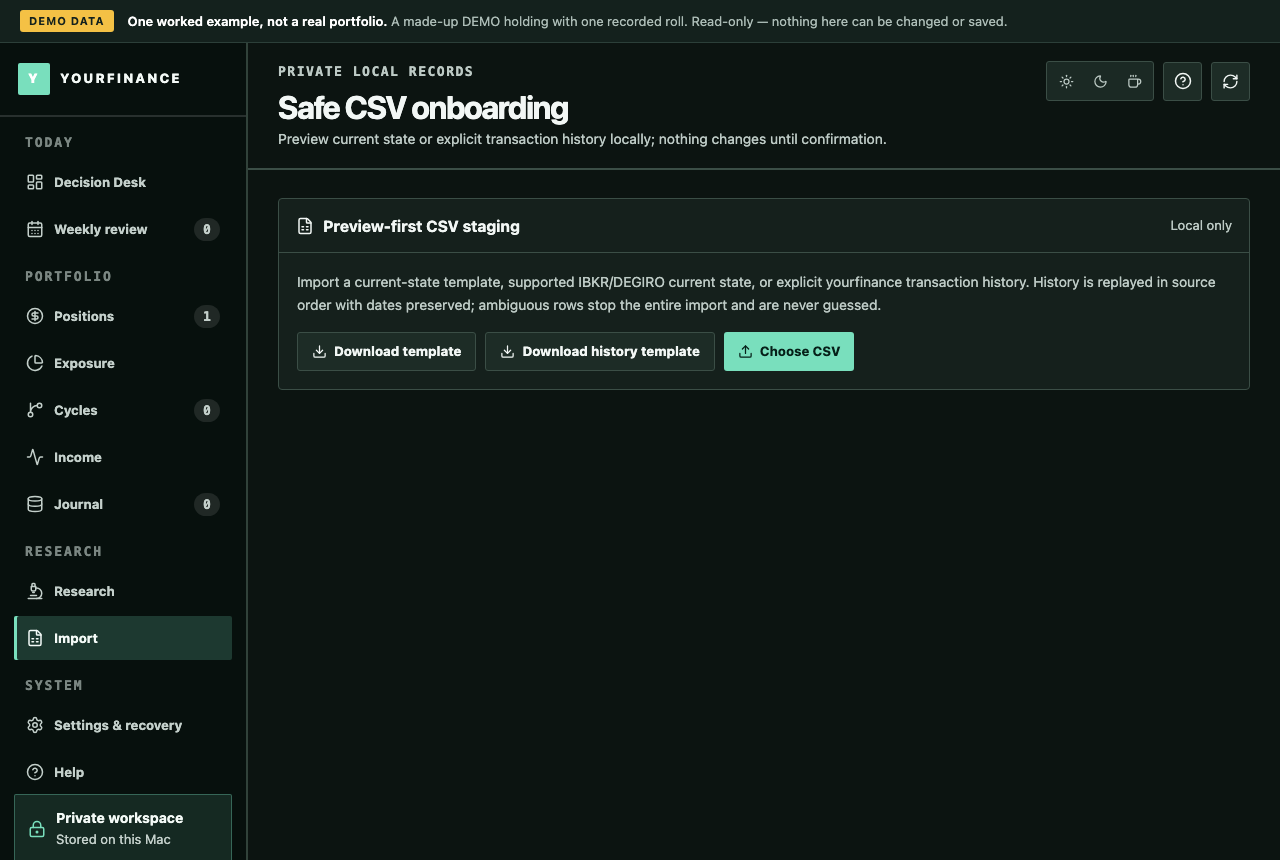
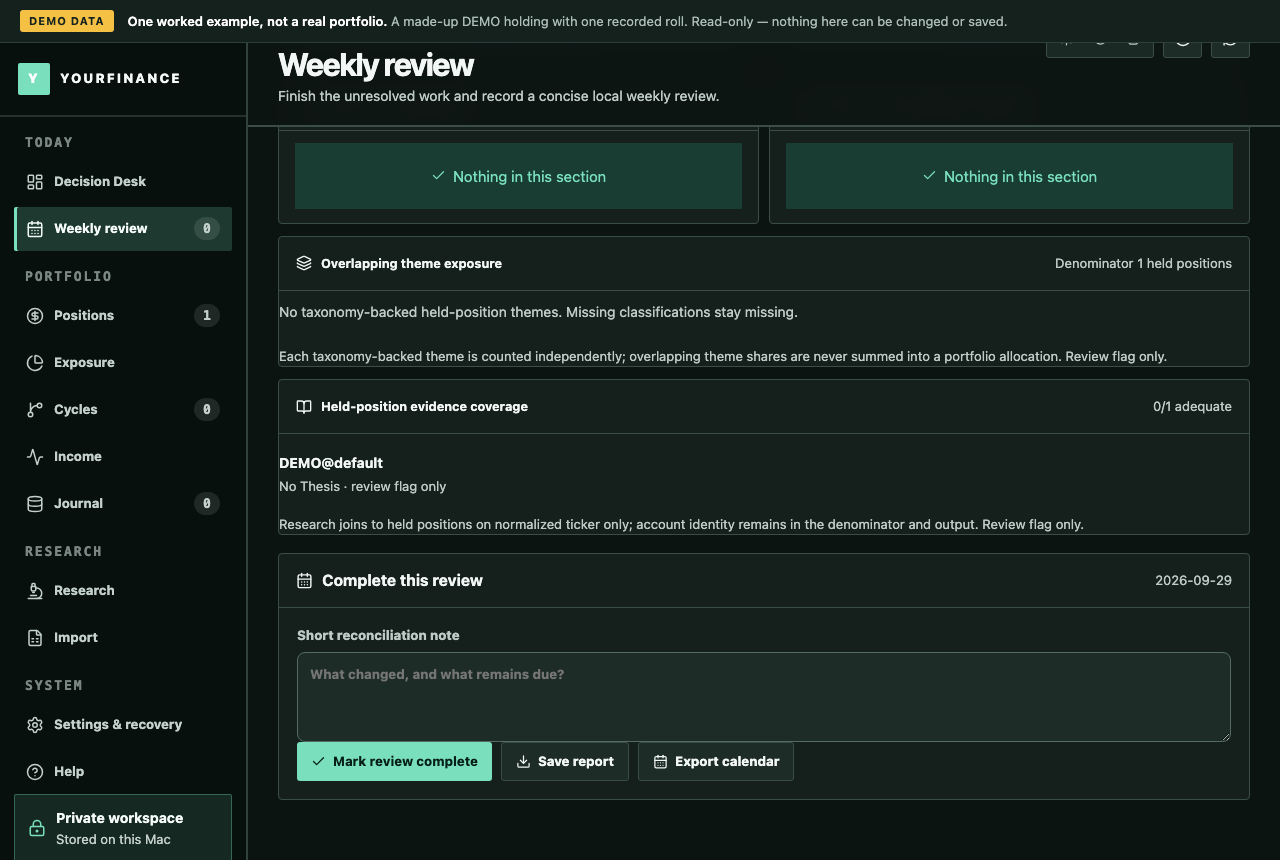
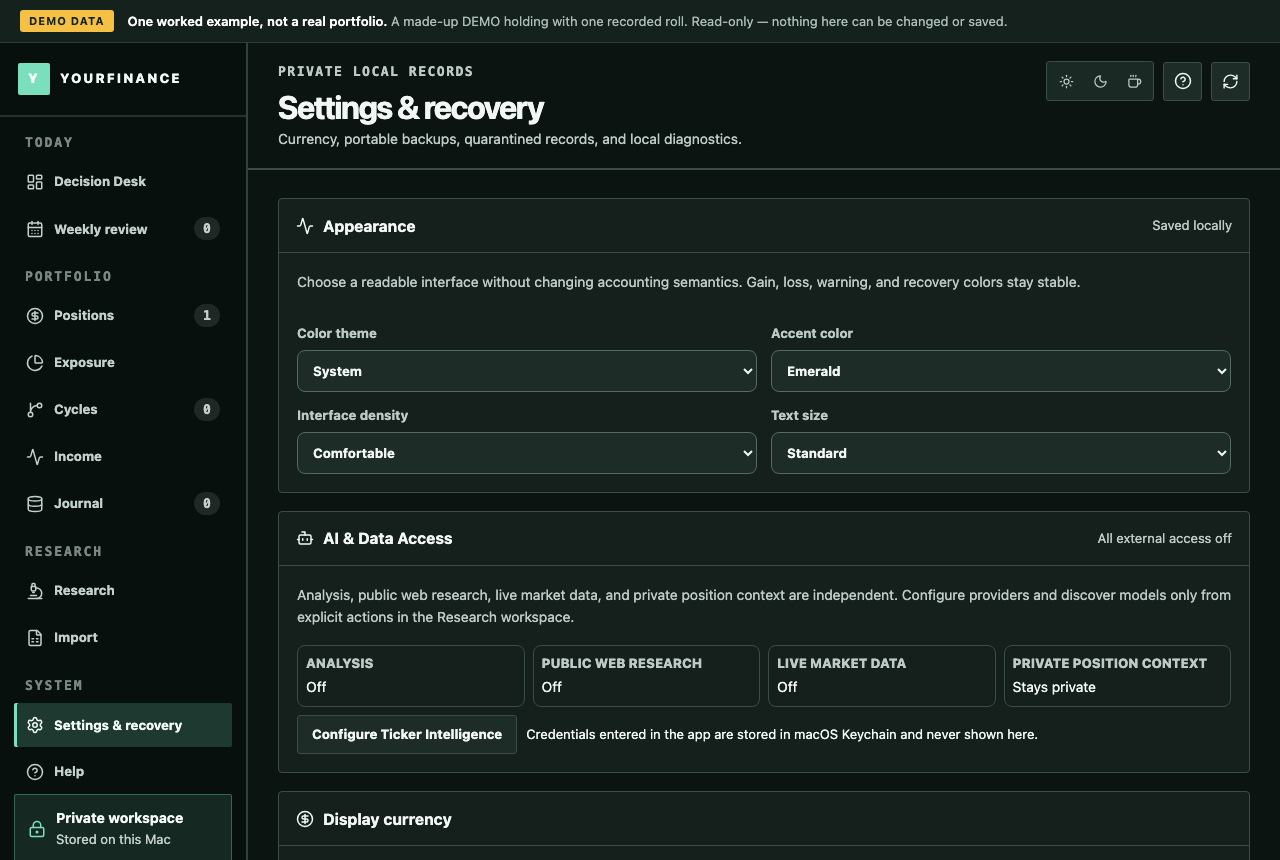
1280 × 860 PNG, from the read-only demo: a made-up DEMO holding with one covered-call roll. The figures are demo data, not a performance claim.
-
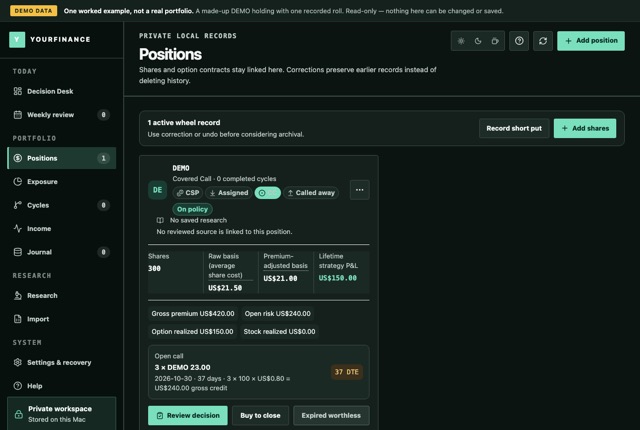
Positions: raw and premium-adjusted basis for one holding
-
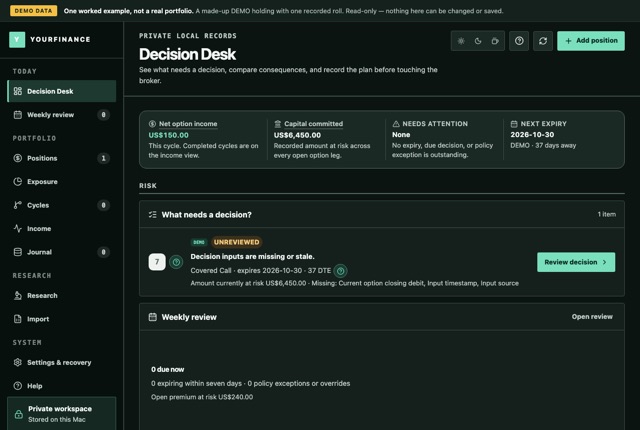
The Decision Desk: what needs a decision
-
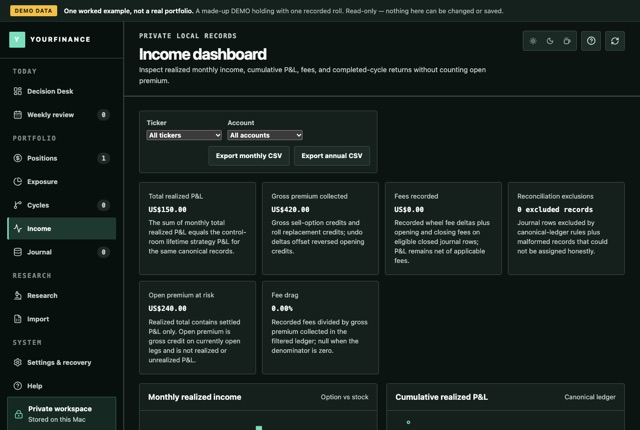
Income: premium collected, realized, and still at risk
-
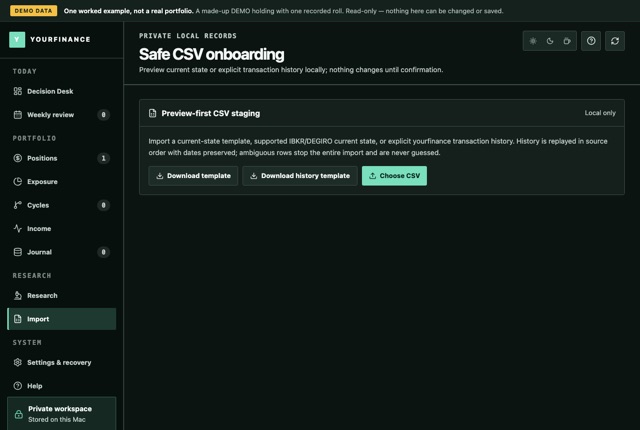
Import: the preview-first CSV import
-
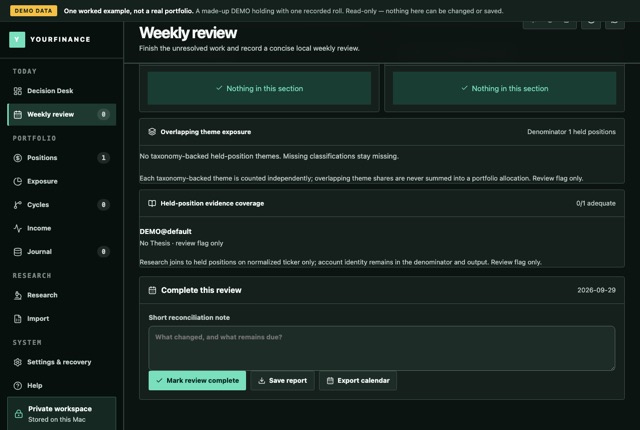
The weekly review, with its report and calendar exports
-
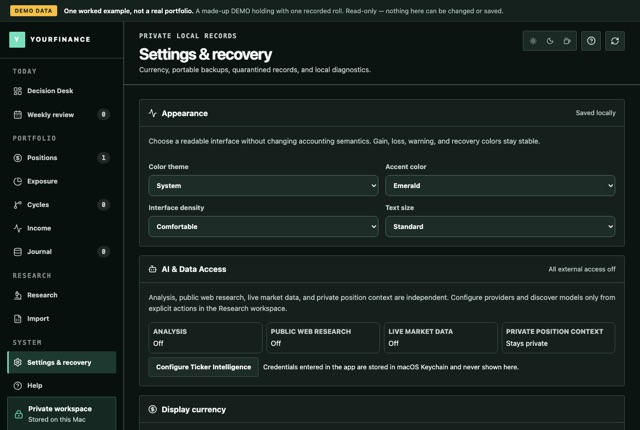
Settings: every network feature off


Contact
For interviews, review access or anything not on this page, write to support@useyourfinance.com with "Press" in the subject, or reach @FutureInvoked on X.