Your cost basis after every roll
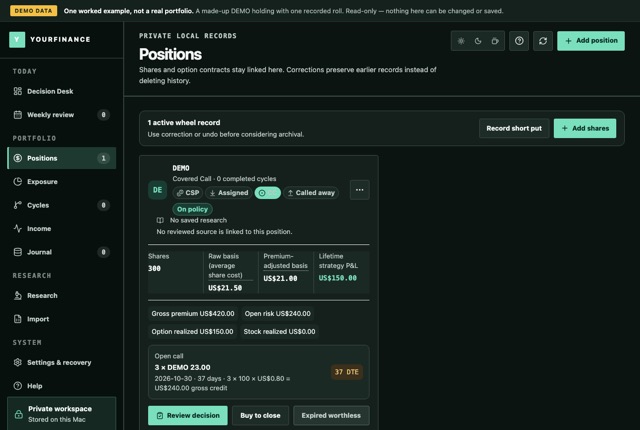
Raw and premium-adjusted basis side by side. A roll is recorded as one event with two legs, a close and an open, so the basis moves only by what you actually kept.
Which Mac? Apple menu → About This Mac shows the chip.
For covered-call and wheel investors
yourfinance shows what you have actually realized, your cost basis after every roll, and what needs a decision this week. It runs on your Mac or Windows PC, with no broker login and no automatic trading.
Which Mac? Apple menu → About This Mac shows the chip.
For Mac (macOS 13 or later) and Windows 10 or 11, 64-bit · all downloads
10-day free trial, full features, then read-only until you buy · Beginner $20 · Pro $50, one time · records stay on your computer
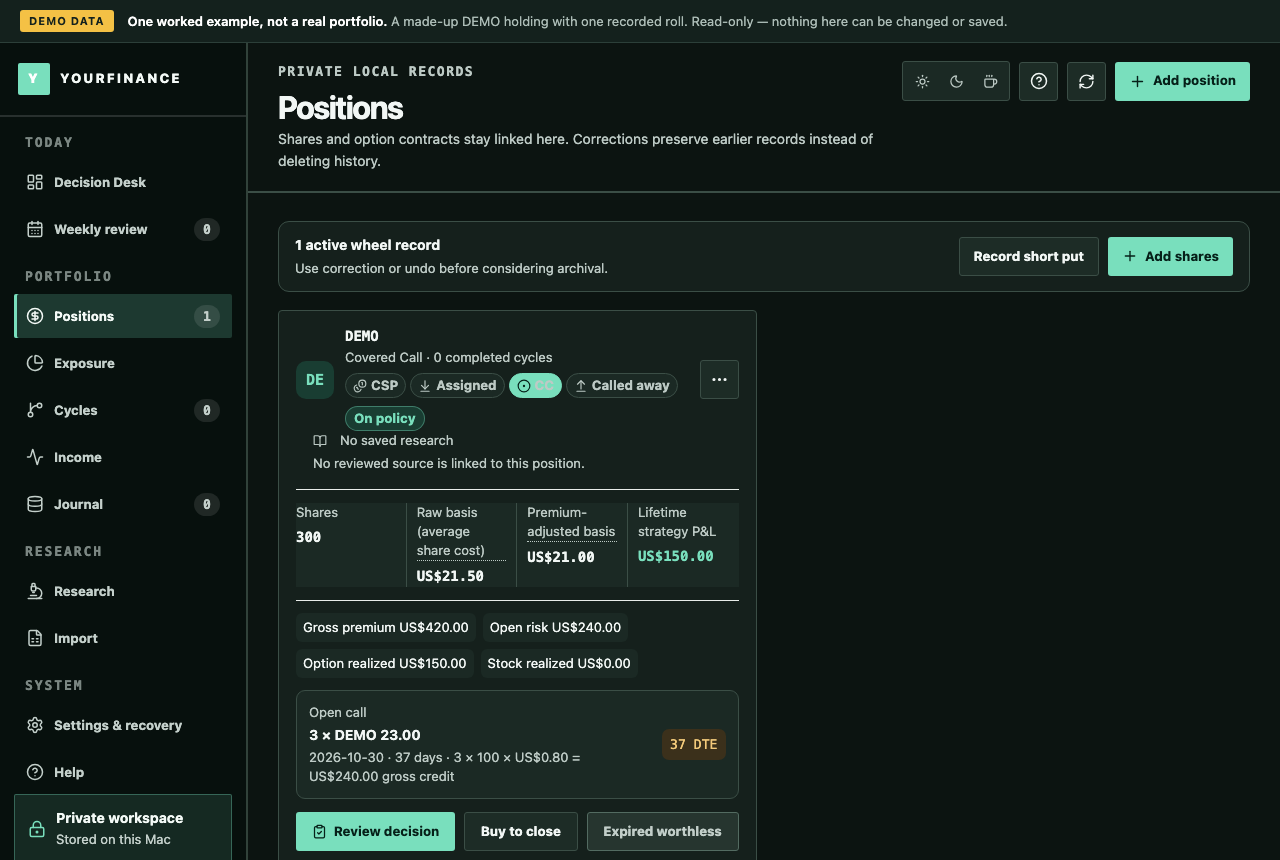
One covered-call roll, worked end to end. Demo data on a made-up ticker, not a performance claim.
If your spreadsheet reports only the first number, it is not tracking the risk.
How it works
What it does
Raw and premium-adjusted basis side by side. A roll is recorded as one event with two legs, a close and an open, so the basis moves only by what you actually kept.
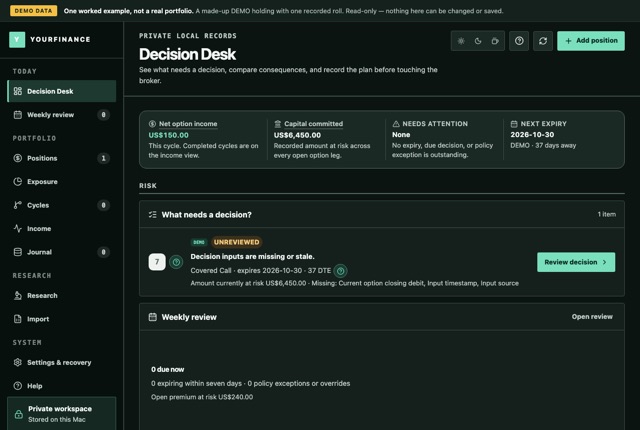
The Decision Desk ranks what needs you: past expiries, calls due this week, planned reviews, policy breaches, and what is missing before hold, close or roll can be compared.
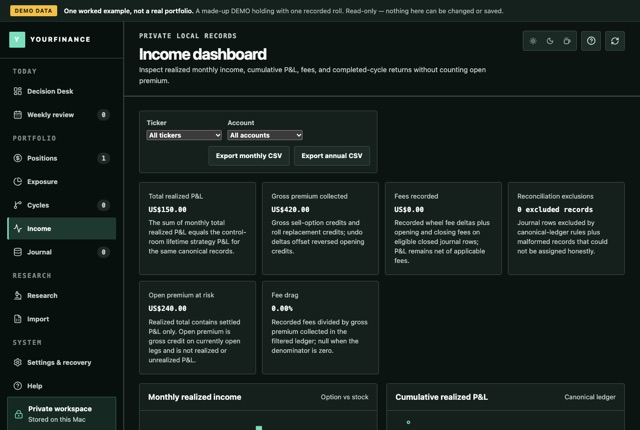
Income by month counts what is closed and kept. Premium on an open option stays at risk until it expires, is bought back, assigned or called away.
IBKR, DEGIRO, Trading 212 and Trade Republic CSVs, or the yourfinance template. Anything the file cannot say exactly, the preview asks you before recording.
Tax-year exports, CSV, an HTML report and a calendar (ICS) of expiries. They are records for you or your adviser; the app does not calculate tax.
Everything stays on your computer. There is no account and no server holding your records. Connectors, crypto prices and the phone link are off until you switch each one on.
See it working
The real application, read-only, with one worked covered-call roll: raw and premium-adjusted basis, and premium collected next to what is realized.
Learn
The arithmetic, step by step, with a worksheet.
Why the two numbers differ, and which one your sheet shows.
Fixed-fractional and half-Kelly sizing. It runs in your browser; nothing you type leaves it.
Questions
No. The download is a 10-day free trial with every feature. Beginner is $20 and Pro is $50, paid once, with updates through version 1.x.
No. You record trades yourself or import your broker's CSV. Pro adds optional, read-only connectors that use keys you create at your broker; they stay in your computer's keychain.
On your computer, in files the app writes atomically and backs up at every start. There is no yourfinance account, and nothing is sent anywhere unless you switch a network feature on.
No. It records, calculates and asks the right questions before you decide. It does not recommend trades, predict prices or place orders.
The app becomes read-only: every record stays visible, and exports and backups keep working. Paste a key in Settings → Licence to continue. Nothing is deleted.
Macs with macOS 13 or later, with Apple Silicon or Intel, and PCs with Windows 10 or 11, 64-bit.
The download is the whole application. Buy a key only when it earns it.
Which Mac? Apple menu → About This Mac shows the chip.