Exports
Your records, in files you can open anywhere.
Income as CSV, a print-ready HTML report, a calendar of expiries, a tax-year file for Germany, the Netherlands and Czechia, and a backup you can carry. They arrange the records you already have; they are not tax advice.
Download
- macOS, Apple Silicon (M1 or later) DMG · Developer ID signed and notarized
- macOS, Intel DMG · Developer ID signed and notarized
- Windows 10 or 11, from the Microsoft Store signed by Microsoft · updates through the Store · no broker connectors
- Windows 10 or 11, 64-bit ZIP · with broker connectors · not code-signed; Windows may warn or block it
Which Mac? Apple menu → About This Mac shows the chip.
How it works
What yourfinance keeps track of
Income as CSV
Monthly or annual CSV from the income dashboard: realized option and stock P&L, total realized P&L, fees and premium collected for each period.
A report and a calendar each week
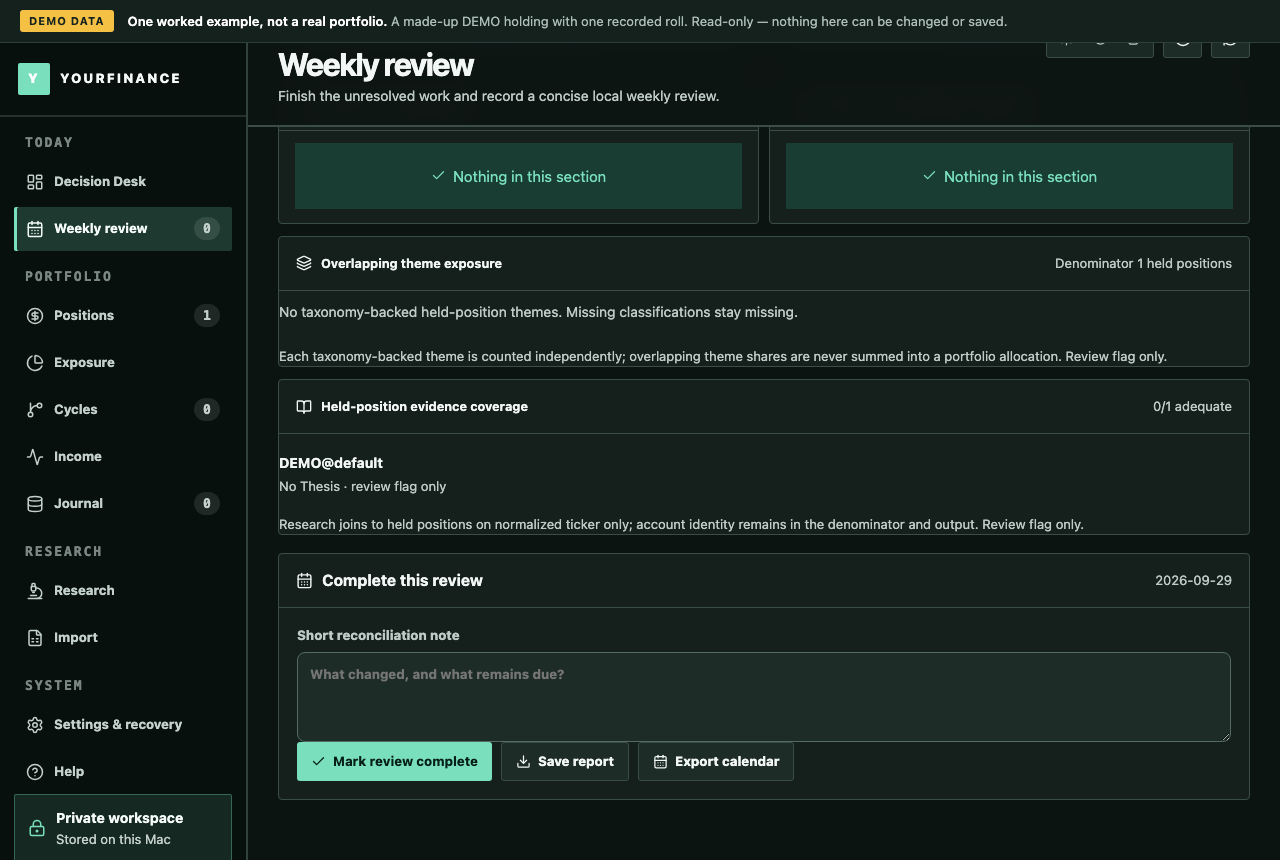
The weekly review saves a print-ready HTML report, and exports expiry and planned-review dates as a calendar (ICS) file for any calendar app.
Your records, never the samples
The backup, the income CSV, the weekly report and the calendar leave the sample workspace out, so a file holds only what you entered.
A tax-year file per country
One CSV for Germany, the Netherlands or Czechia and a year: realized events with their holding periods, or the Dutch holdings on 1 January at cost. Amounts stay in the app's currency.
A backup you can carry
A portable ZIP of your whole versioned records and settings, to keep a copy or move computers. Connector keys are never in it.
The tax-year file, country by country
It is not a tax calculation and not tax advice. It arranges one tax year of the records the app already holds.
| Country | Rows | Holding-period flag |
|---|---|---|
| Germany | Every realized event in the calendar year: share lots and coin lots (acquired, days held, proceeds, cost, fees, gain) and option events (premium received when sold, result when closed) | Coins held over one year |
| Czechia | The same rows as Germany | Shares and coins held over three years |
| Netherlands | What was held at the start of 1 January, at cost; the market value is left for you to fill in | — |
Option rows carry both the premium received and the result when the option closed, because countries differ in which one they look at. Do not add the two together. The holding-period flag is a fact about dates only, and the form hint on each row is a pointer, not a filing instruction.
Questions
Questions about this
Does yourfinance calculate my tax?
No. The exports arrange the records you entered; they do not apply tax rules, convert currencies, or decide which exemptions apply. They are not tax advice: take them to your adviser or to your own return.
Which countries does the tax-year file cover?
Germany, the Netherlands and Czechia. Anywhere else, the CSV exports hold the same records for you to arrange.
Is the tax-year file in both tiers?
Yes: in Beginner, Pro and the trial, and it keeps working after the trial ends.
What opens these files?
Any spreadsheet opens the CSV files, any browser the HTML report, and any calendar app the ICS file. Coins appear in the tax-year file only while Crypto is switched on.
Do exports keep working after the trial?
Yes. When the trial ends the app is read-only: every record stays visible, and exports and backups keep working.
Try it on your own records
A 10-day free trial with every feature, then read-only until you buy. No account, no card; your records stay on your computer.
Download
- macOS, Apple Silicon (M1 or later) DMG · Developer ID signed and notarized
- macOS, Intel DMG · Developer ID signed and notarized
- Windows 10 or 11, from the Microsoft Store signed by Microsoft · updates through the Store · no broker connectors
- Windows 10 or 11, 64-bit ZIP · with broker connectors · not code-signed; Windows may warn or block it
Which Mac? Apple menu → About This Mac shows the chip.