Private by design
Your records stay on your computer.
There is no yourfinance account and no server holding your records, and the app sends nothing on its own. Every feature that could make a network request is off by default, and says what it sends before it does.
Download
- macOS, Apple Silicon (M1 or later) DMG · Developer ID signed and notarized
- macOS, Intel DMG · Developer ID signed and notarized
- Windows 10 or 11, from the Microsoft Store signed by Microsoft · updates through the Store · no broker connectors
- Windows 10 or 11, 64-bit ZIP · with broker connectors · not code-signed; Windows may warn or block it
Which Mac? Apple menu → About This Mac shows the chip.
How it works
What yourfinance keeps track of
Files on your computer
Your records are files in your own data folder, written safely: to a temporary file first, flushed, then swapped into place under a lock.
Nothing sent on its own
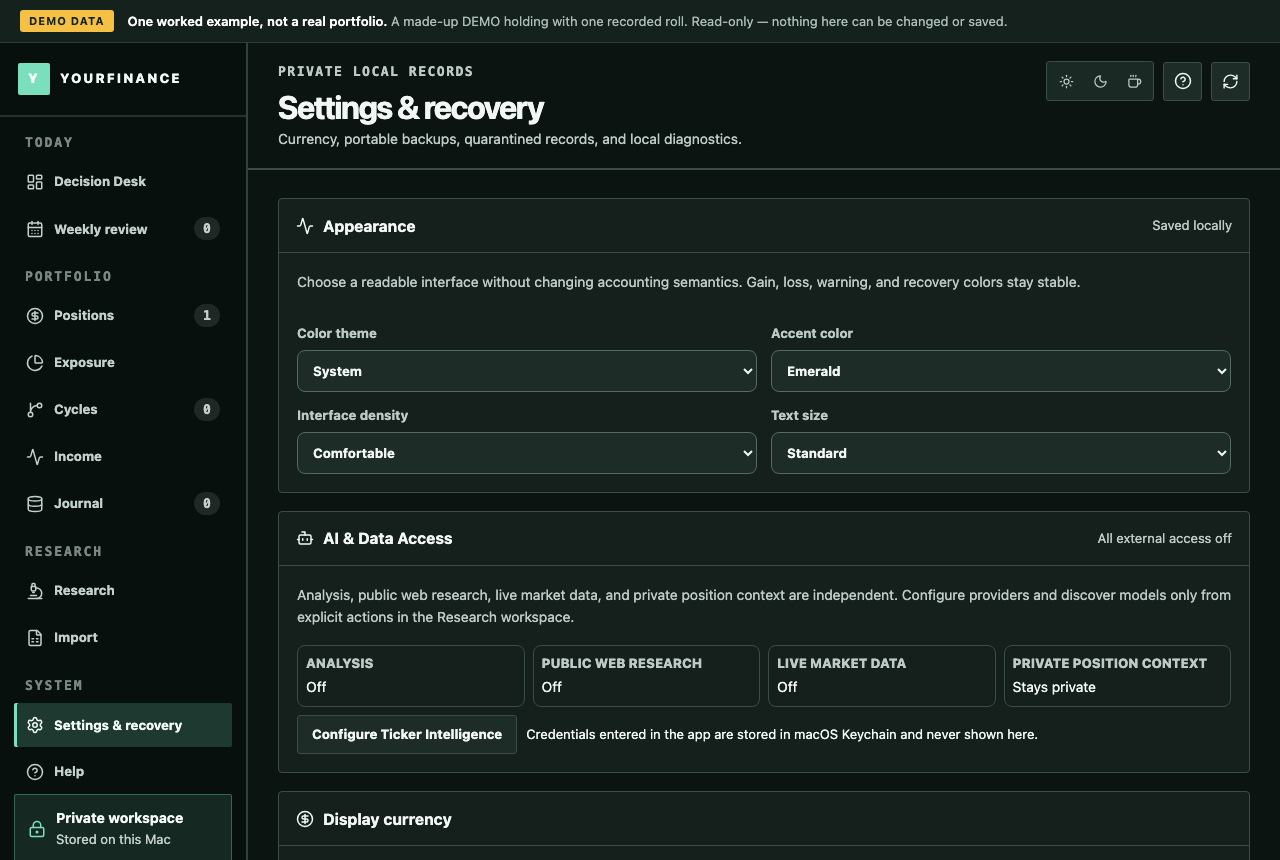
No telemetry and no analytics. Diagnostic logs stay on your computer and record start, stop and error types only, never a ticker or an amount.
Every network feature is a switch
Crypto prices, connectors, notifications and the phone link are each off until you switch them on, one at a time. Market data and AI research are not in this version.
Keys in your keychain
Keys for AI and connectors are kept in the operating system's credential store, never in the data folders, exports or backups.
Backups you control
A backup at each launch with the seven newest kept, and a portable ZIP you can export. A damaged file is set aside and named; the rest keeps working.
What leaves your computer, and when
Only what each feature needs, only after you switch it on, and only to the service named here.
| Feature | Until you switch it on | When it is on, it sends | To |
|---|---|---|---|
| Market data | Not in this version | Nothing. The switch cannot be turned on. | No one |
| Crypto prices | Off | The ids of the coins you track; for a coin without an answer, its trading-pair name. Never quantities or cost. | DefiLlama, then Kraken |
| AI research | Not in this version | Nothing. The switch cannot be turned on. | No one |
| Connectors (Pro) | Off | Read-only requests for your own history, with keys you created, when you press refresh. | Your broker or exchange |
| Phone link | Off | Your desk, to the phone you paired, over your Wi-Fi and sealed end to end. | Your own phone |
| Notifications | Off | Nothing: they are made on your computer, with tickers and reasons but no amounts. | — |
| Licence check | Always on your computer | Nothing: the key is checked against a public key in the app. | — |
Buying a key goes through Polar, and writing to us is e-mail. The privacy notice says what each of them receives.
Questions
Questions about this
Is there a yourfinance account or cloud sync?
No. There is no account and no server holding your records. To move to another computer, export a backup ZIP and restore it there.
What happens if a file is damaged?
An unreadable file is moved to a quarantine folder and named in a recovery notice, and your other records keep working. A restore checks the backup before replacing anything, and makes a backup first.
How is my licence checked?
On your computer, against a public key built into the app. Nothing is sent to check it, and there is no activation count.
Where are my API keys kept?
In the operating system's credential store (the macOS Keychain; Credential Manager on Windows). Switching a connector off does not delete its keys; removing them is a separate action.
Does this website track me?
It sets no cookies and shows no ads. The one script it loads from another company is Cloudflare Web Analytics, which our host, Cloudflare, adds to every page: it counts page views without cookies and does not identify you. The tutorial videos on the Learn page load YouTube's player only when you press play.
Try it on your own records
A 10-day free trial with every feature, then read-only until you buy. No account, no card; your records stay on your computer.
Download
- macOS, Apple Silicon (M1 or later) DMG · Developer ID signed and notarized
- macOS, Intel DMG · Developer ID signed and notarized
- Windows 10 or 11, from the Microsoft Store signed by Microsoft · updates through the Store · no broker connectors
- Windows 10 or 11, 64-bit ZIP · with broker connectors · not code-signed; Windows may warn or block it
Which Mac? Apple menu → About This Mac shows the chip.